Work on the map, smartly combining nearby jobs
See your work orders, assets and projects on a real map and plan the day's route. Built on OpenStreetMap, without an expensive map licence. Whether you work on your own or with a crew.
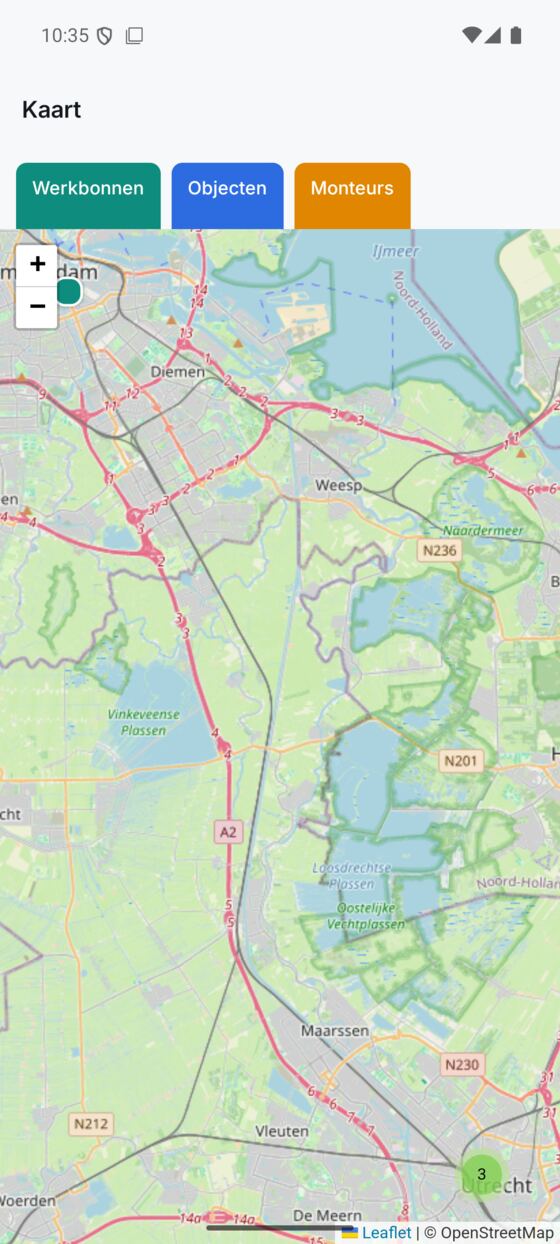
All your work on the map, instead of in a list
See work orders, assets, projects and technicians as coloured dots on a real map and combine nearby jobs.
- Each type gets its own colour and icon on the map
- Turn each layer on or off separately, so you see exactly what you need
- Click a dot to see the name and address with it
- Works for a single installer and for a team, the same map
Everything for map, from start to finish
Every part below belongs to this feature, from the first step to the finish.
Plan a route for a day and shorten the drive
Pick a technician and a date, and Fyldd puts the work orders in a handy order so you drive fewer kilometres.
- Optimise the route per technician per day
- Numbered stops and a line in the right order
- Total number of stops and kilometres in view
- A table below the map — click a row to jump to that stop
Built on OpenStreetMap, without an expensive map licence
The map runs on OpenStreetMap, so you don't need an expensive map licence and you use it without limits within your subscription.
- No map API or licence costs
- The whole world map, zoom in and out without limits
- Included in your subscription
Work orders on site, seamless with the map
Open the work order in the app on the road, fill in hours, materials and photos and have the customer sign, all in one place.
- Plan the drive on the map, complete the work order in the app
- Asset and customer are already linked to the work order
- From scheduling to a signed invoice, nothing lost
Discover the rest of Fyldd
Features that fit seamlessly with map.
Frequently asked questions
Can't find your question? We'll help you quickly, even if logging in isn't working.
No answer to your question? We usually reply within one business day.
Get in touchWhich map does Fyldd use?
Fyldd uses OpenStreetMap, the open map of the world. That means you don't need an expensive map licence and the map simply comes with your subscription. You can zoom in and out without limits and view the whole of the Netherlands.
What do I see on the map?
You see work orders, assets, projects and (if you work with technicians) your people as coloured dots. You can turn each layer on or off separately. Click a dot and you see the name and address with it, so you easily combine work nearby.
How does optimising a route work?
Pick a technician and a date. Fyldd puts that day's work orders in a handy order, draws the route on the map with numbered stops and shows the total number of kilometres. If you work alone, you simply plan your own drive.
Does the map work if I work on my own too?
Yes. Whether you work alone as an installer or with a crew, you use the same map. You see your own work orders and assets and plan your own route for the day, without having to add any technicians.