Scheduling for installers: work by day and by technician
Drag work orders onto the right day and assign them to a technician, or schedule them for yourself if you work alone. Day and week view in one screen.
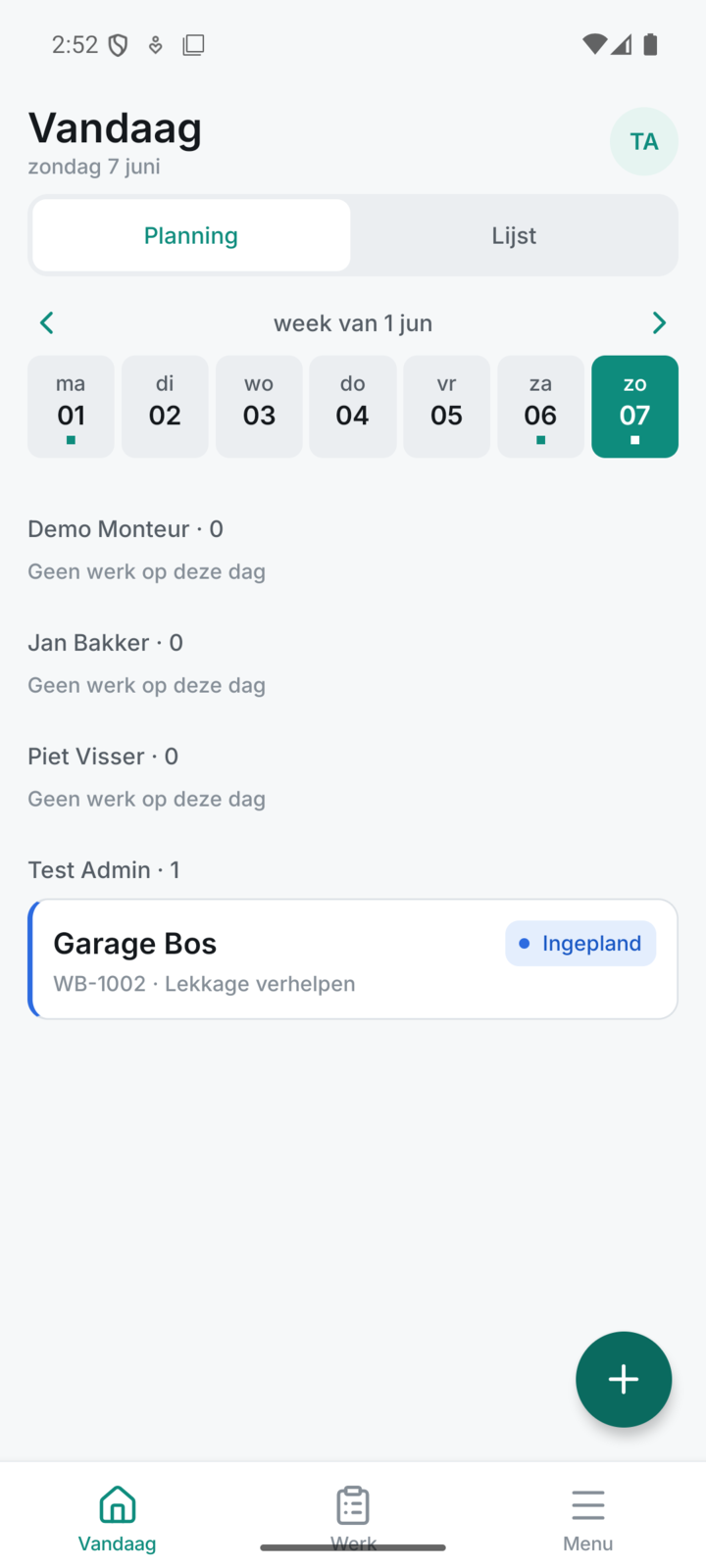
Plan your work by day and by technician
Drag every work order onto the right day and technician, or schedule it for yourself if you work alone.
- Work orders with customer and type of work on the right day
- Assign to a technician, or schedule for yourself
- Today is always highlighted, so you see what's happening now
Everything for planning, from start to finish
Every part below belongs to this feature, from the first step to the finish.
Day and week view in one screen
The planning board shows a whole week per technician, so you see at a glance who's busy and where there's room.
Unassigned work always in view
New work orders sit in a separate row at the top, so it stays clear which work still needs scheduling.
- A clear stack of work still to be divided up
- Drag onto a day and technician, or back to the stack
- You can turn assigning on or off per company in Settings
Recurring work is scheduled once
Set periodic maintenance as a recurring work order, and the work appears on its own so you never forget a service visit.
From scheduling to a signed invoice in one place
A scheduled work order is completed on site by the technician and then becomes your PDF and invoice, all in one place.
Discover the rest of Fyldd
Features that fit seamlessly with planning.
Frequently asked questions
Can't find your question? We'll help you quickly, even if logging in isn't working.
No answer to your question? We usually reply within one business day.
Get in touchCan I use scheduling if I work alone?
Yes. If you work on your own as an installer, you simply schedule the work orders for yourself on the planning board. You use exactly the same day and week view as a team, just with one name. Scheduling works for solo and for a crew.
How do I assign a work order to a technician?
You drag the work order to the cell of the right technician on the right day. It then belongs to that technician on that date. To move it, you drag it to another cell. Assigning can be turned on or off per company in Settings.
Can I have recurring maintenance come back automatically?
Yes. With a recurring work order you set a template with a frequency from daily to yearly and default materials that come along automatically. The work appears on its own, so you never forget a service visit and don't have to rebuild the same order every time.
What does Fyldd cost and can I try it first?
Fyldd costs 39 euros per month excluding VAT for your company, plus 19 euros per month per extra teammate. If you work alone, you pay 39 euros per month. Yearly is 390 euros for your company and 190 euros per extra teammate, with two months free. You can try it 14 days free first, without a credit card. Payment is via iDEAL and SEPA direct debit.