Materials and a warehouse that add up, from catalogue to work order
Keep a material catalogue with prices and stock, add materials to the work order in a few taps and keep your warehouse up to date automatically. Whether you work on your own or with a crew.
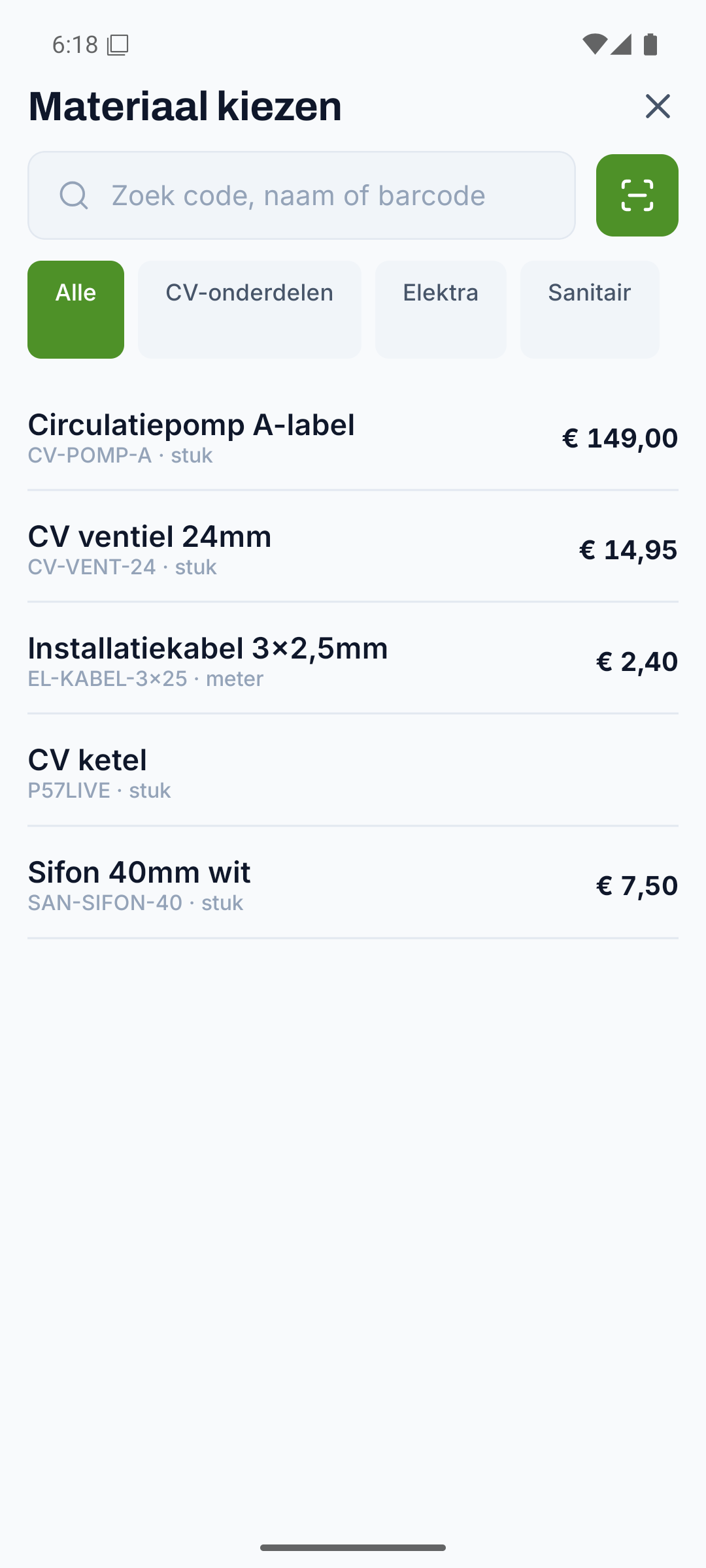
One catalogue for materials and warehouse
Record your materials once with code, price and VAT, and pull up any item later in a few taps.
- Code, description and unit per item
- Purchase and sale price, so the margin and the invoice line are right straight away
- VAT rate, supplier, barcode and category where you want them
- Search on code or description and find an item straight away
Everything for materials, from start to finish
Every part below belongs to this feature, from the first step to the finish.
Materials on the work order, without retyping
Pick an item, enter the quantity and the material is on the work order and the invoice, without retyping.
- Pick an item from the catalogue, enter the quantity, done
- Price and unit come along automatically
- Material sits on the same work order as hours, photos and signature
- Consumption you pass on carries over onto the PDF work order and the invoice
Keep the warehouse up to date with stock per location
Material on a work order is deducted from stock automatically, so your warehouse always adds up per location.
- Stock per warehouse, with a location within the warehouse
- Material on a work order deducts the quantity from stock
- Set a minimum stock level per item
- Multiple warehouses possible, for example a van stock alongside your central warehouse
An alert as soon as stock runs low
If stock drops below your set minimum, you get an alert straight away and reorder on time.
- Low-stock alert with warehouse and remaining quantity
- Reorder on time instead of too late
- Stock management on or off, whichever suits you
Equipment with an hourly, daily and weekly rate
Manage your tools and machines too with a fixed hourly, daily and weekly rate, ready to charge on.
- Code, name and hourly, daily and weekly rate per item
- Rates to hand when you charge work on
- Equipment and materials in the same place
Discover the rest of Fyldd
Features that fit seamlessly with materials.
Frequently asked questions
Can't find your question? We'll help you quickly, even if logging in isn't working.
No answer to your question? We usually reply within one business day.
Get in touchDoes Fyldd keep my stock up to date automatically?
Yes. When a technician puts a material from the catalogue on a work order, that quantity is deducted from the stock of the chosen warehouse. So you keep your warehouse up to date without entering it separately. You can switch stock management on if it suits you, or leave it off.
Do materials and warehouse work if I work alone too?
Absolutely. As a solo installer you use the catalogue with prices to quickly add materials to the work order and get them onto the invoice. Keeping stock is optional: leave it off and you simply use the catalogue. Whether you work on your own or with a crew.
Can I keep multiple warehouses or a van stock?
Yes. Per warehouse you record how much of an item you have in stock and at which location. This way you can, for example, keep a van stock alongside your central warehouse, and set a minimum stock level per item for a timely low-stock alert.
Do materials from the work order end up on the invoice?
Yes. Material on a completed work order carries over with quantity and price onto the PDF work order and then onto the invoice, in your own house style. Internal items you don't pass on are kept separate, so only the right material ends up on the invoice.