Customer management for installers, with assets and certificates in one place
Keep your customers, their installations and all inspections neatly together. With every certificate's expiry date in view and the full history per customer and asset, whether you work on your own or with a crew.
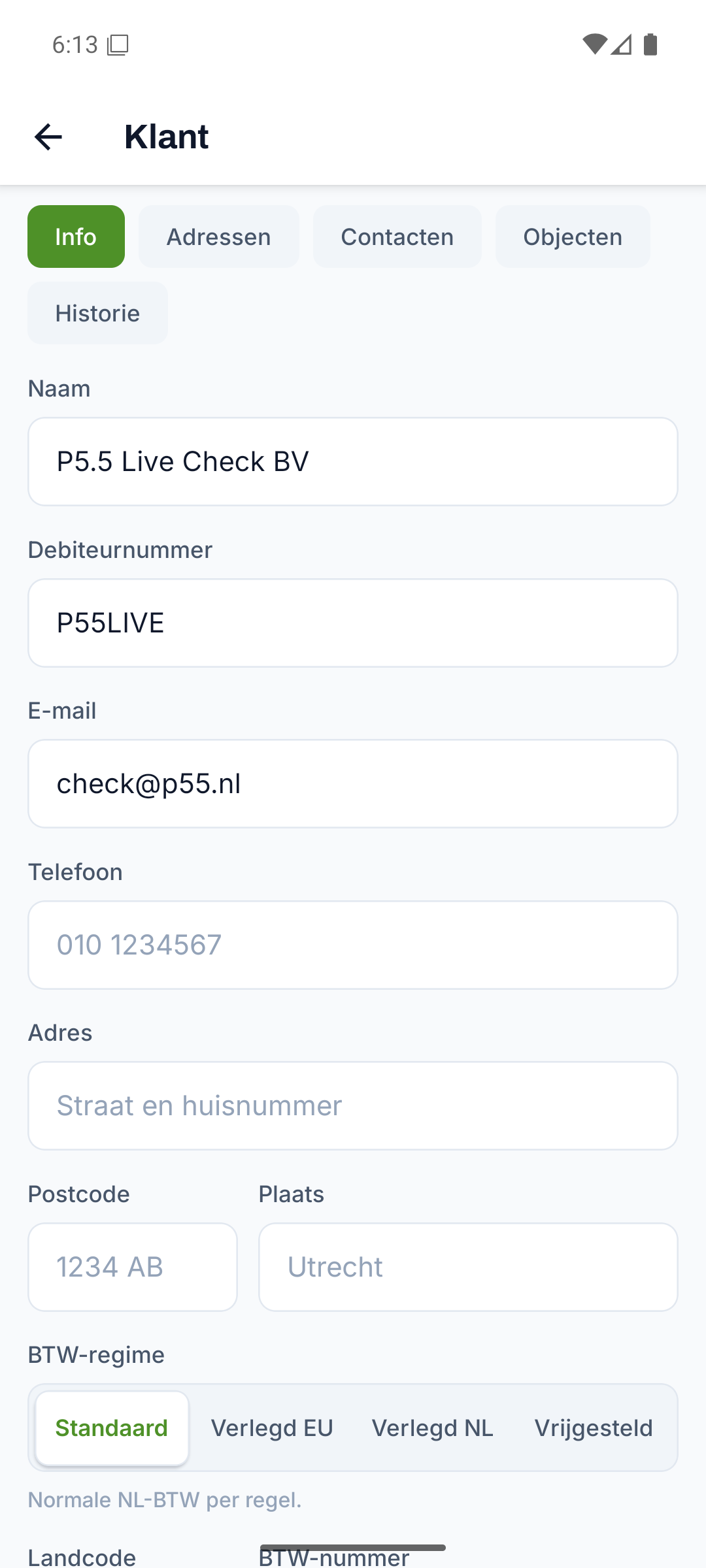
One customer register for your whole installation business
Record all your customer details in one register and find any customer in seconds by searching on name or town.
- Name, customer number, address, town, phone, email and contact person
- Search on name or town and a detail page per customer
- Multiple addresses and contacts under the same customer
- VAT settings per customer, including reverse-charge VAT and KvK number
Everything for customers, from start to finish
Every part below belongs to this feature, from the first step to the finish.
Assets linked to the customer
Link boilers, installations and units to the customer, so on every work order you know exactly what equipment is on site.
- Code, name, make, model and serial number per asset
- Location and status, linked to the customer
- Installation, inspection and warranty date to hand
- Selectable directly on the work order
Certificates and inspections with an expiry date
Record the number and expiry date for each certificate and schedule every inspection on time thanks to a clear status alert.
- Number and expiry date per certificate or inspection
- A clear status: valid, expiring soon or expired
- A warning as soon as an inspection expires within sixty days
- Linked to the customer and the asset
The full history per customer and asset
See on a timeline per customer and asset what happened, who did it and when, all in one place.
- A timeline with event, person and date
- Separate history per customer and per asset
- Quick context for a recurring fault or complaint
- Nothing lost, everything in one place
Customer details that carry through your whole admin
Enter a customer once and then pick the same details on every work order, quote and invoice, without retyping anything twice.
- One customer, usable everywhere on work order, quote and invoice
- The VAT regime and KvK number travel along automatically
- Less retyping, fewer mistakes in your admin
Discover the rest of Fyldd
Features that fit seamlessly with customers.
Frequently asked questions
Can't find your question? We'll help you quickly, even if logging in isn't working.
No answer to your question? We usually reply within one business day.
Get in touchWhat does customer management in Fyldd involve?
Customer management in Fyldd is a central register with, per customer, name, customer number, address, phone, email and contact person. You link assets and certificates to it and see the full history per customer. This way you use the same customer details on work orders, quotes and invoices.
How does Fyldd warn about expiring certificates?
For each certificate you record the number and the expiry date. Fyldd shows a clear status: valid, nearly expired or expired. If an inspection expires within sixty days, it stands out, so you can schedule a new inspection on time.
Can I link assets and installations to a customer?
Yes. You record assets such as boilers or installations with code, make, model, serial number, location and status, linked to the customer. For every customer you can see what equipment is on site and when it was installed, inspected or still under warranty.
Does customer management work if I work alone too?
Yes. Whether you work on your own or with a crew, you use the same customer list. You pay 39 euros per month for your company and add teammates as you grow, for 19 euros per month per extra teammate. That way you only pay for who joins in.